 ThumbProof
A/B thumbnail tester with real blind rounds
Hide two to four versions among filler videos in a shuffled feed. Click whatever catches your eye first. After five rounds you get pick rates, average reaction times and an exportable comparison image.
- 100% local, never uploaded
- No sign-up
- Free


Versions to test (2–4)
Add 2 to 4 versions. Titles can differ too.
Blind test
The tester runs 5 rounds. Each round hides your versions among filler cards in a shuffled feed, with no labels. Click the first thumbnail you notice. ThumbProof records which version you picked and how fast you clicked.
Side by side
Title truncation meter
Visual audit score
Next steps
Run a blind test in under a minute
- 01
Add 2–4 versions
Drop in your candidates. Give them different titles if you are testing those too.
- 02

Start the blind test
Each round shuffles your versions into a feed of filler videos with no labels.
- 03

Read the results
See picks per version and average time to spot, then export a PNG to share.
What a result looks like

Version A: 4 of 5 picks, average 0.9 s
In this sample run, the purple version with white text on the left won 4 of 5 rounds. The blue version was picked once and took longer to spot. That is a signal to ship A, or to borrow its contrast for B.
Example for illustration. Your own results depend on your images and your eyes.
How to run a fair thumbnail comparison
Comparing Alternative Thumbnail Concepts Side by Side
Choosing between multiple thumbnail drafts often comes down to subjective guesswork in an editing program.
When you stare at two or three graphics in isolation, it is easy to overanalyze subtle hue shifts or minor typography tweaks while losing sight of the broader visual hierarchy.
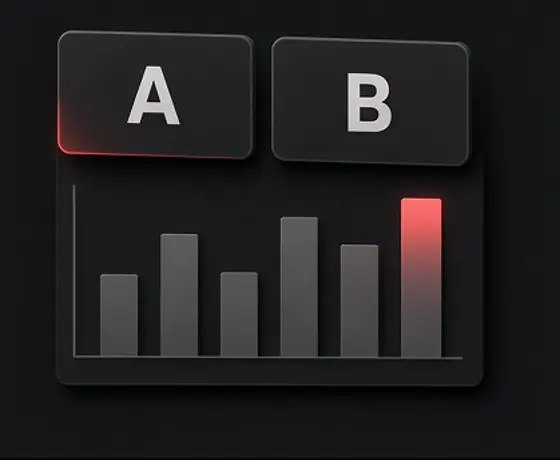
The A/B comparison tool allows you to load between two and four thumbnail variations directly into realistic feed environments to assess how each version balances against adjacent content.
Rather than relying on isolated opinions, side-by-side evaluation helps you test distinct creative directions:
Once you finish your visual comparison, you can generate and export a side-by-side PNG image locally in your browser for team review or personal archiving.
Compositional variety
Compare a tight facial close-up against a wide environmental shot to see which layout delivers clearer context.
Color palette variations
Evaluate high-saturation warm tones against cool, muted palettes to determine which holds up better against dark and light platform interfaces.
Text versus no-text
Contrast a graphic featuring short, bold overlay words with a purely visual concept to verify whether the text actually aids comprehension.
When reviewing your own artwork, confirmation bias is unavoidable because you already know every detail of the image.
The blind testing mode simulates the natural scrolling experience of an everyday viewer by momentarily concealing your candidate thumbnails among neutral filler cards in a randomized feed.
Each round lasts only a few seconds, challenging you or a test participant to click the first thumbnail that naturally catches the eye.
The blind test format breaks down into a structured evaluation routine:
Five rapid rounds
Candidate thumbnails are shuffled into distinct positions across five consecutive test screens alongside diverse filler cards.
Time-constrained discovery
Brief display windows prevent deliberate scanning, forcing a reliance on immediate visual saliency and focal point strength.
Automated metric capture
The system logs your selection rate and average reaction time in milliseconds for every tested variant.
Interpreting Comparison Data with Realistic Expectations
It is essential to understand what the A/B tester does and does not provide. Running five quick rounds on your own device produces qualitative, gut-check feedback rather than a statistically significant audience study.
Clicking on your own thumbnails within a small sample size cannot replicate the diverse browsing behaviors, viewing devices, and personal interests of thousands of real viewers across a live network.
Keep these principles in mind when reviewing your comparison data:
Use the tester as an objective sanity check to refine your visual hierarchy rather than treat it as a predictive formula.
Treat data as a gut check
Use reaction times and selection counts to flag obvious visual weaknesses, such as a concept that repeatedly gets overlooked among filler content.
Acknowledge sample limits
A single person running five rounds cannot produce definitive predictive metrics; the tool highlights contrast and saliency, not audience preference.
No guaranteed performance
Selecting the highest-scoring candidate in a local test does not guarantee increased clicks, viewer retention, or algorithmic promotion once published.
Frequently asked questions
How many thumbnail variations can I compare at once?
You can load and compare between two and four thumbnail variations at the same time in the A/B tester.
How does the blind test mode work?
Your candidate thumbnails are mixed among neutral filler cards in a randomized feed for a few seconds per round over five consecutive rounds. You click the first thumbnail you notice, and the tool records selection rates and reaction times.
Are blind test reaction times statistically predictive of live performance?
No. The blind test is a local gut-check tool to gauge visual saliency and quick recognition within a small sample. It is not a statistical prediction of how live audiences will respond.
Can I export my comparison results?
Yes. You can export a side-by-side comparison image as a PNG file generated entirely within your browser.
Does the A/B tester send my test data to an external server?
No. All test sequencing, reaction timing, and image rendering occur locally in your browser session without transmitting data to external servers.
Will choosing the winning thumbnail improve my video's click-through rate?
No. ThumbProof does not promise or guarantee any improvements to click-through rates, impressions, or viewer engagement. It is solely an internal design inspection tool.
Stop guessing between versions
Five quick rounds tell you which thumbnail actually grabs attention.
More free tools and guides
 Video Thumbnail Size, Resolution, File Limits and Safe ZonesGuide
 High-CTR Thumbnail Checklist: 7 Visual Principles That Get NoticedGuide
 Title Truncation by Device: Pixel Widths, Not Character CountsGuide